Reports
- Payroll Overview
- Attendance Reports
- Statutory Reports
- Leave Reports
- Declarations & Investments
- ESIC & UAN Reports
Payroll Overview
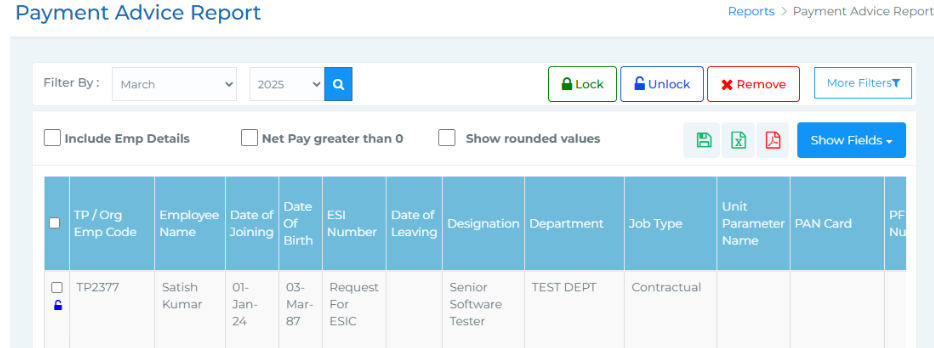
- Payment Advice Report - In this section, you can access detailed payroll reports once attendance is approved and salary structures are included. This report helps you manage, review, and export payment details for each employee in your organisation.

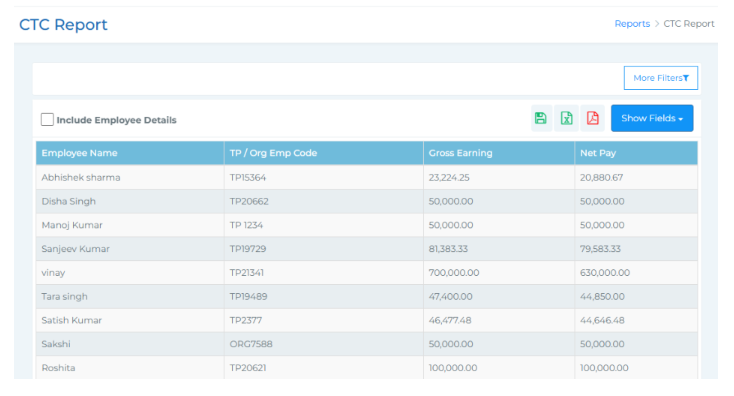
- CTC Report -
This report displays the calculated Cost to Company (CTC) for each employee. You can filter the
report based on employee name, organizational unit, designation, and department for a more
focused view.
3. Employee Pay Summary -
In this section, you can view and manage employee pay slips.
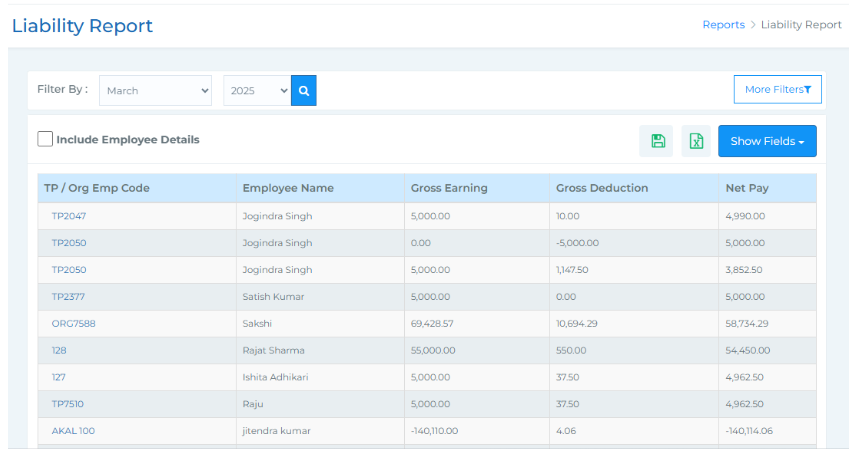
4. Payroll Liability Summary -
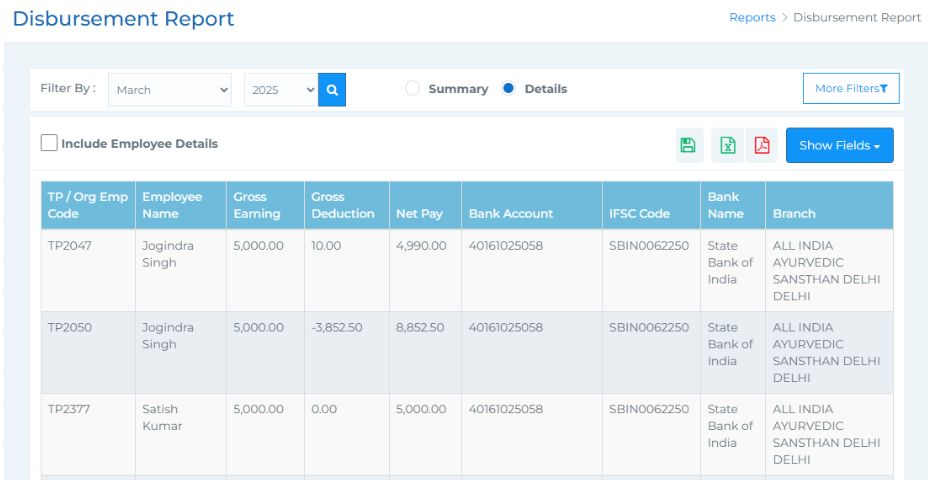
5. Disbursement Report -
This section gives you a detailed overview of all financial liabilities towards employees.
This section allows you to view all the disbursement amounts that are yet to be processed. You
can easily filter data by selecting Month and Year, and refine your search further using the More
Filter options such as Employee Name, Designation, Department, and Organization Unit.
Attendance Reports
-

-
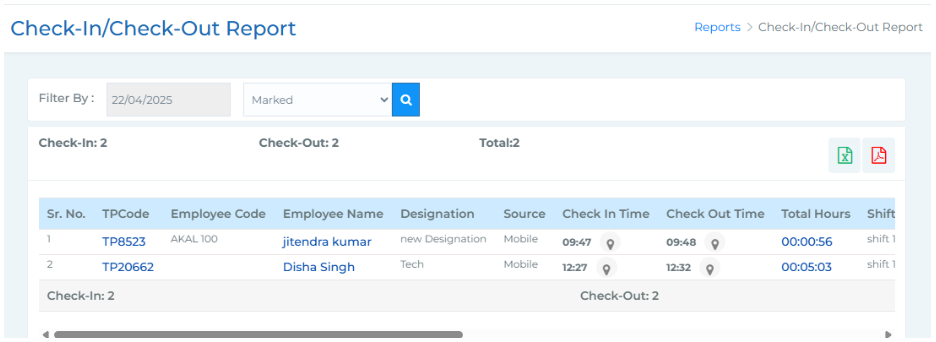
Check-In/Check Out Report -
This report provides a comprehensive view of employees’ check-in and check-out details along
with total working hours. It includes fields like TP Code, Employee Code, Employee Name,
Designation, Source, Check In Time, Check Out Time, Total Hours, Shift Name, Auto Assign
Shift, Night Shift, Break, Department, Organisation Unit, Geofence Name, and an Action column
(used to reprocess and sync the record if data is not displayed).

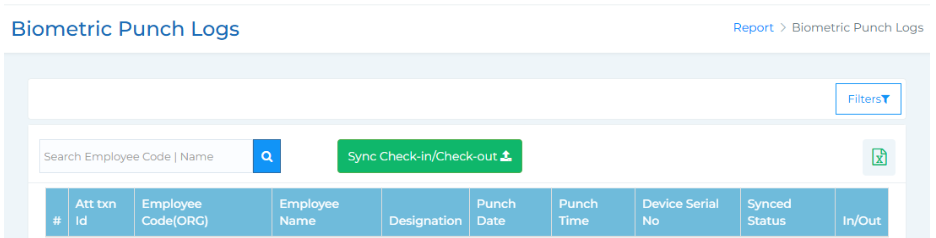
2. Biometric Punch Logs -
The Biometric Punch Logs section provides a detailed view of employee punch-in and punch-out
records captured through biometric devices. It allows accurate tracking of attendance and helps in
verifying working hours and sync status for each record.
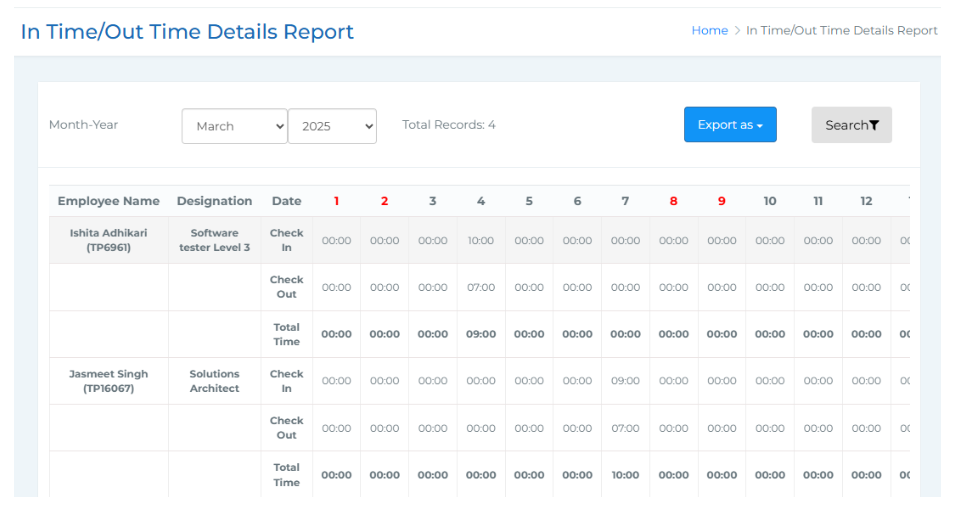
3.Monthly In time Out Time Report -
The Monthly In Time and Out Time Report provides a comprehensive view of employees' daily
check-in and check-out times for a selected month. It helps in tracking attendance patterns and
total working hours for each employee throughout the month.
4. Attendance Muster Roll -
5. Tagged/Untagged -
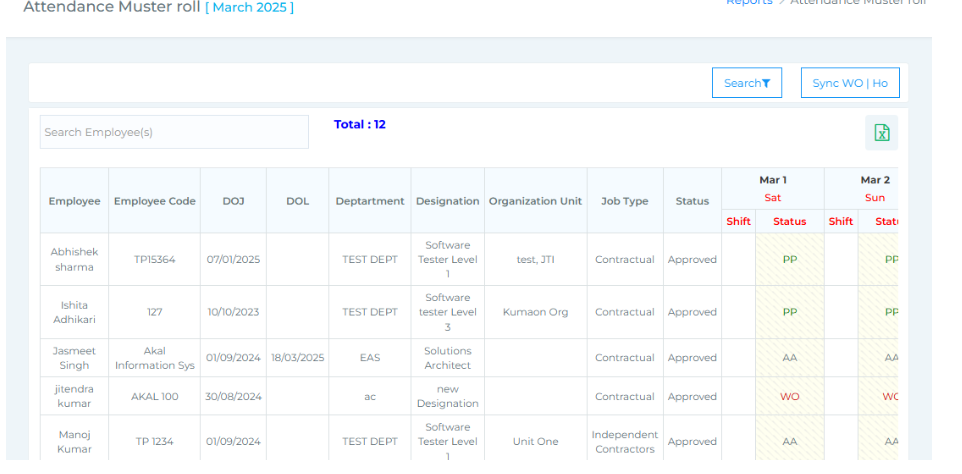
The Attendance Muster Roll offers a detailed monthly overview of employee attendance, clearly
showing the number of days present, leave types taken, paid days, and any loss of pay. Filters
allow you to search by employee name, month and year, status (Yet to Mark, Marked, Verified),
attendance status (Present, Absent, Leave, Overtime), as well as organizational unit, department,
and designation.
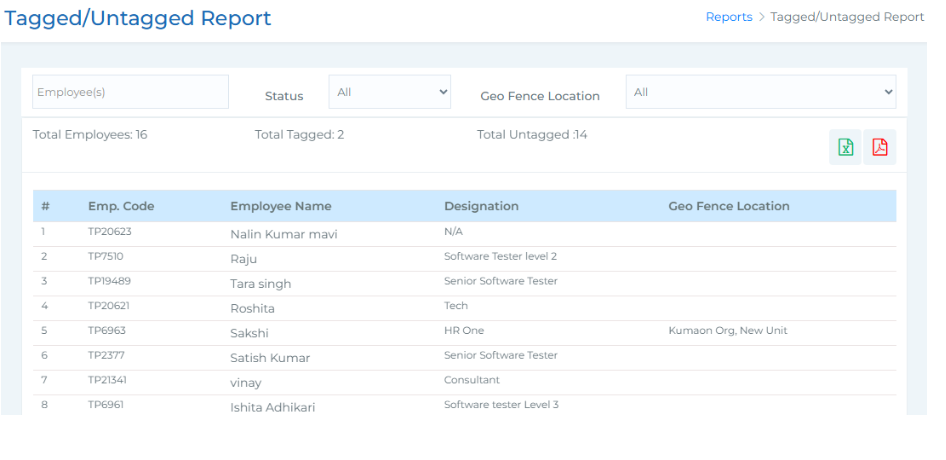
The Tagged and Untagged Report allows you to track employees who have been mapped
(or not) to geofencing locations within the organization. You can search for specific
6.Employee Present/Absent Status -
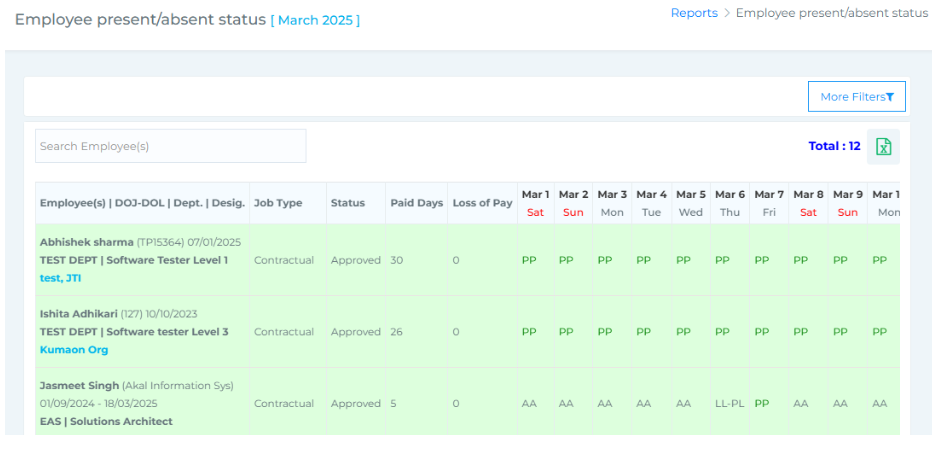
The Employee Present/Absent Status Report provides a comprehensive view of employee
attendance status for a selected month. It includes a set of search filters that allow you to refine
results by employee name, month and year, attendance status (Present, Leave, Absent), status (Yet
to Mark, Marked, Verified), as well as organization unit, department, and designation.
7. Missed Punch Report -
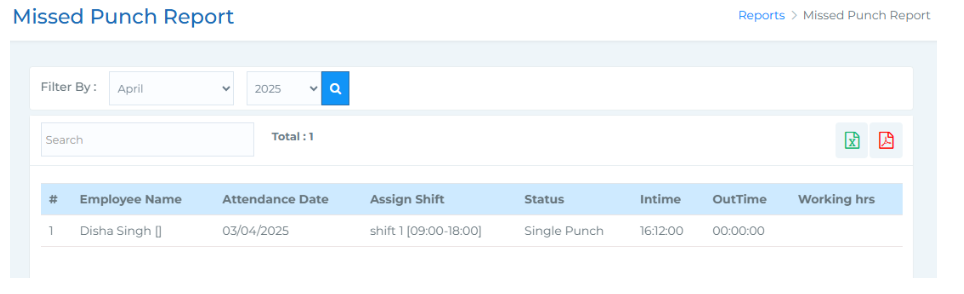
The Missed Punch Report provides details of employees who have missing punch entries
for the selected month. You can filter the report by month and year, and also search by
employee name to quickly locate specific records.
-
Statutory Reports
-
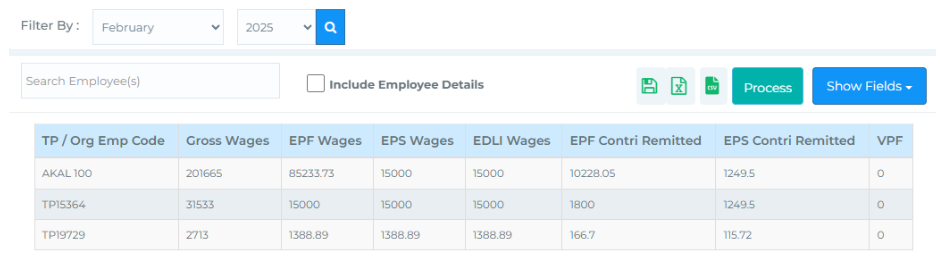
EPF Summary Report -
EPF Summary Report provides a comprehensive view of EPF and EPS wages along with their
respective contribution details. You can filter the report by selecting a specific month and year,
and also search for employees directly using the search bar.

2. EPF - ECR Report -
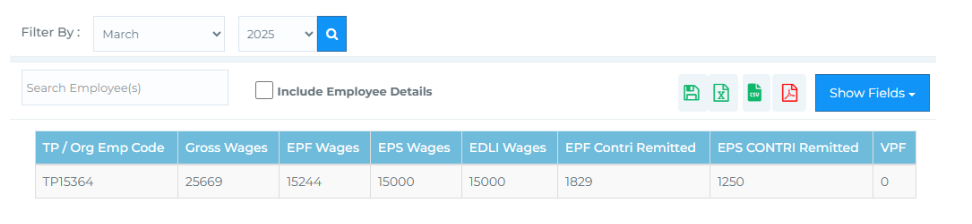
EPF-ECR Report provides a detailed view of the EPF data that has been processed through the
EPF Summary section. This report helps you verify and download statutory compliance records
for EPF filings.
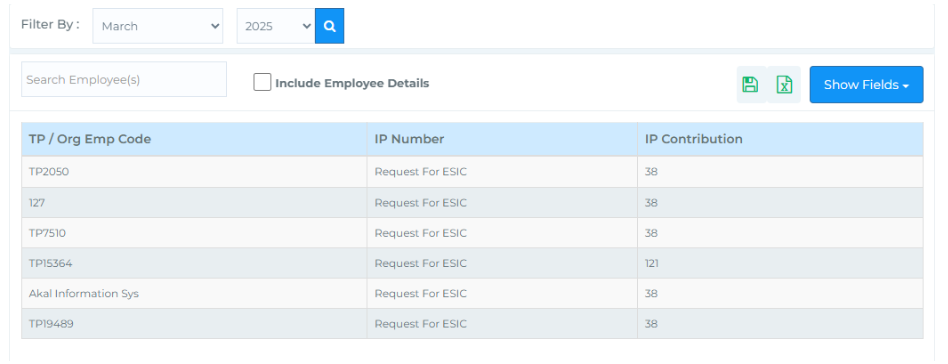
3. ESI Summary -
ESI Summary Report provides a consolidated view of employee-wise ESI (IP) contributions for a
selected period. It enables you to track statutory deductions aligned with ESI regulations.
4. ESIC Return Report -
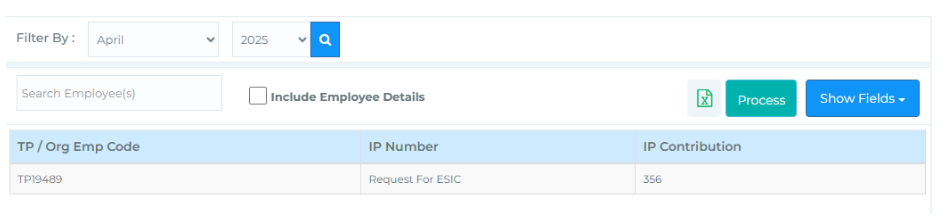
ESIC Return Report displays the finalized ESI contribution data processed through the ESI
Summary section. This report serves as a statutory return document, providing key details of
employee contributions for the selected month.
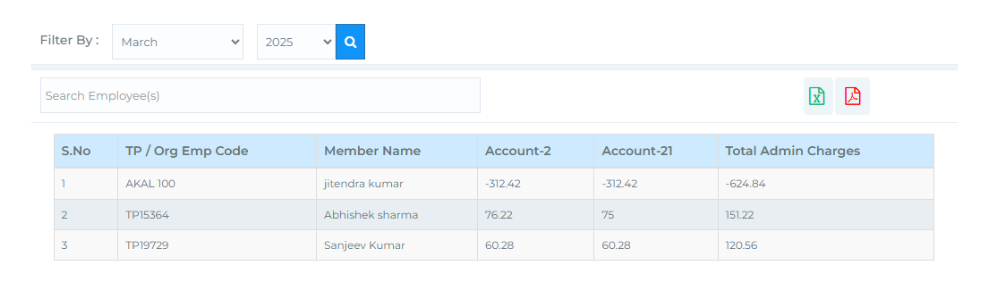
5.Account 21 Report -
The Account 21 Report provides a detailed view of the admin charges applied for each employee.
Leave Reports
-
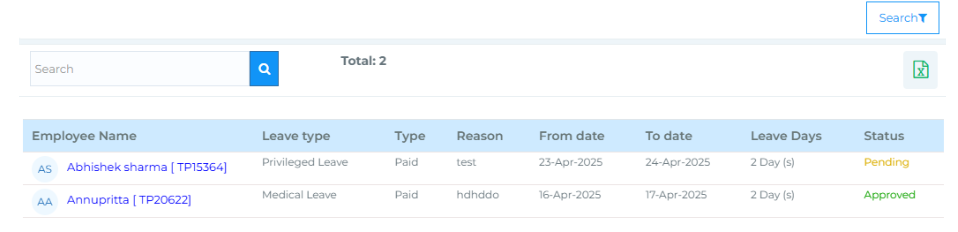
 Applied Leaves Report -
 Applied Leaves Report provides a comprehensive overview of the types of leaves taken by
employees, along with their current status.

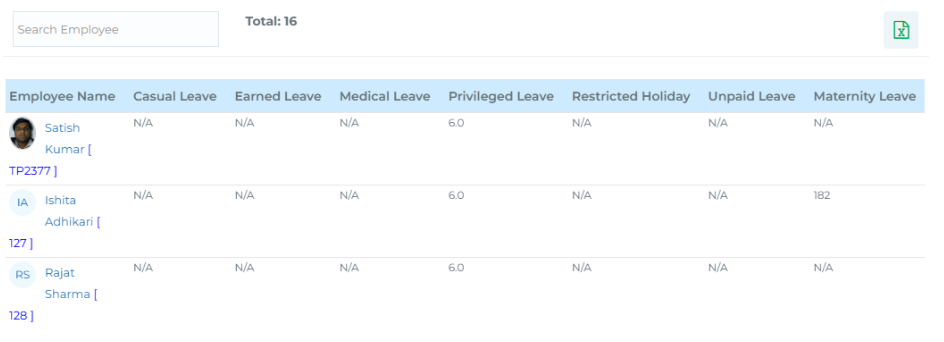
2. Employee Leave Balance -
Employee Leave Balance Report provides a detailed view of the remaining leave balance
for each employee across all applicable leave types.
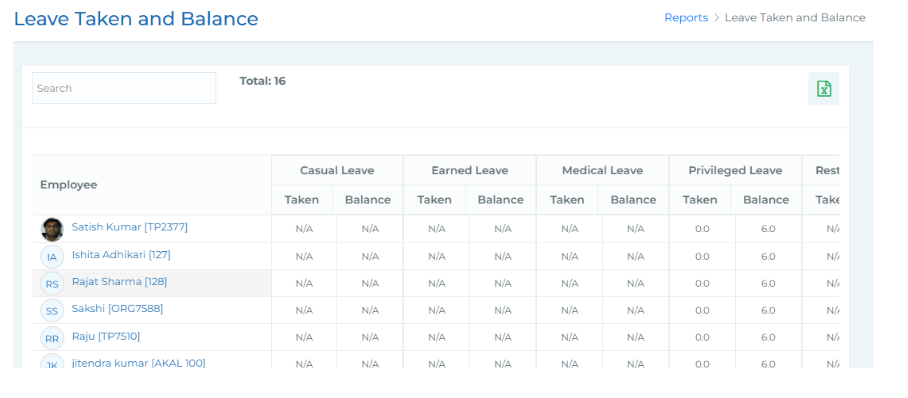
3. Leave Taken and Balance -
Leave Taken and Balance Report offers a comprehensive overview of the leaves taken and
remaining for each employee across various leave types.
Declarations & Investments
-
 Investment Declaration Report -
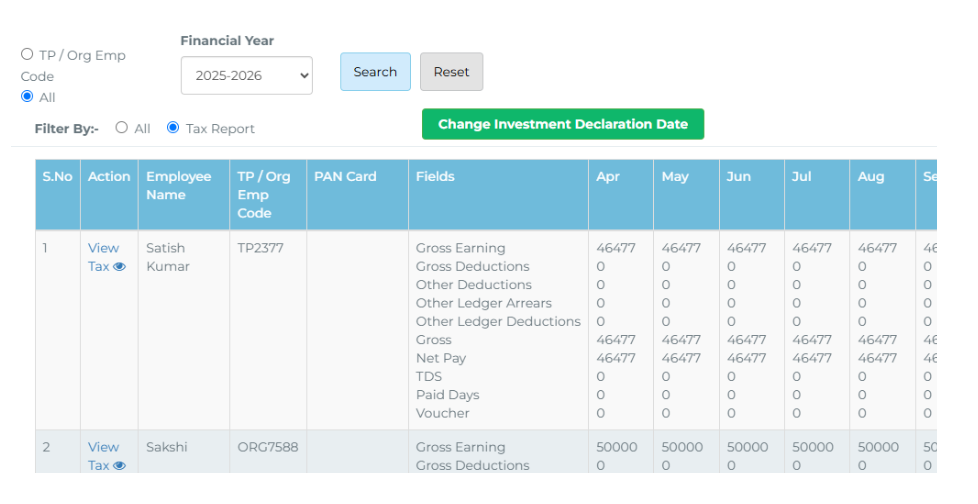
 This report provides a detailed view of employees' declared investments and their impact
on tax projections. It enables HR and payroll administrators to manage and verify tax-
related declarations made by employees throughout the financial year.

2. Proof of Investment Report -
This section enables HR or finance personnel to review, verify, and take action on investment
proofs submitted by employees. This module supports a structured verification process and
provides flexible filtering and export options for ease of us
ESIC & UAN Reports
-
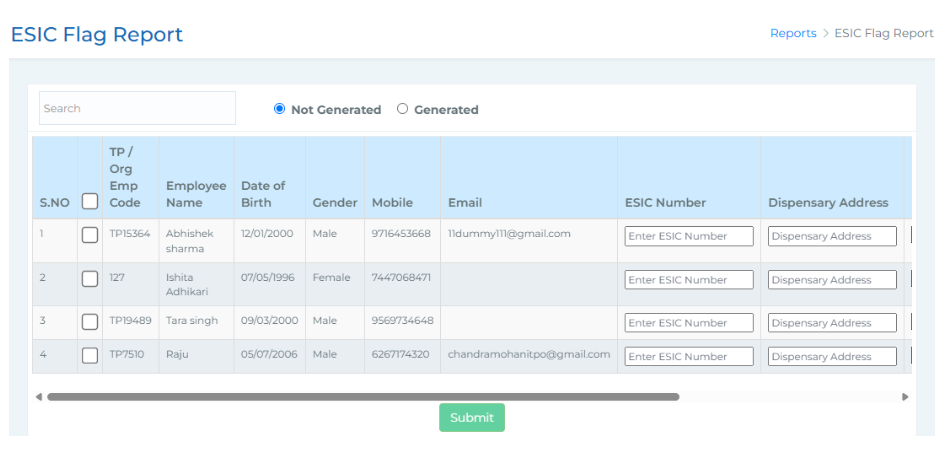
ESIC Flag Report - The ESIC Flag Report provides details related to the Employee State Insurance
Corporation (ESIC) for employees. A search bar is available at the top to search for
employees by name.

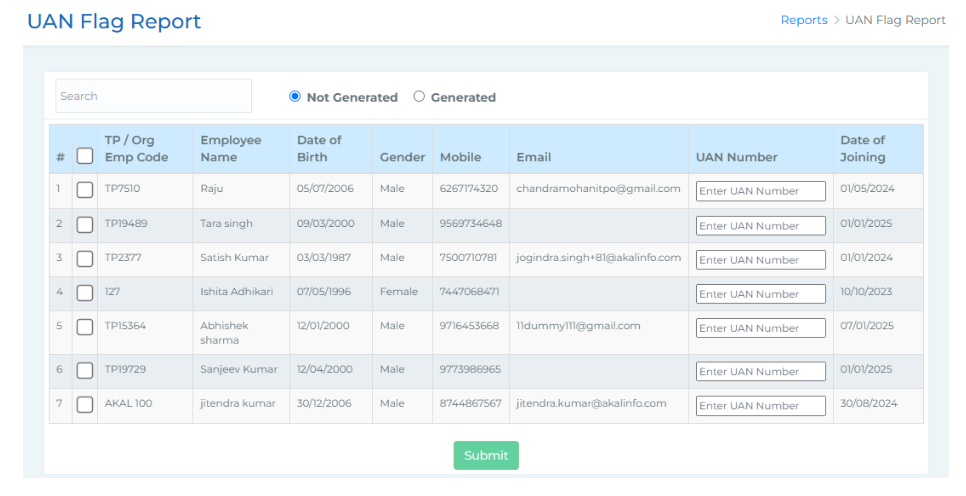
2. UAN Flag Report -
The UAN Flag Report provides a centralized view of Universal Account Number (UAN) details
for employees. At the top, there's a search bar that allows you to search employees by name.