
Reimbursements
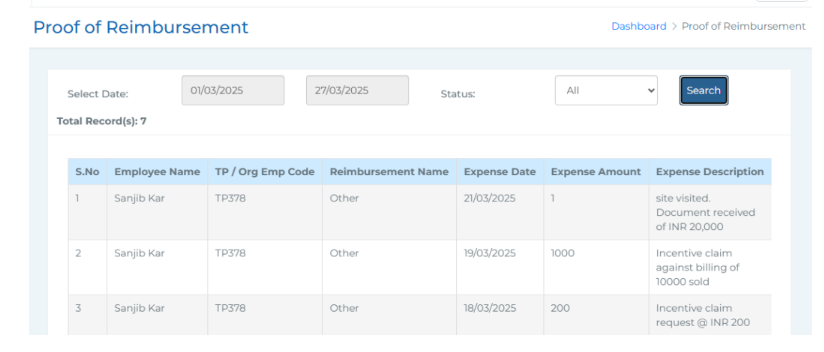 In this section, you can view reimbursement proofs submitted by employees from TankhaPay phone application and take action by approving or rejecting their requests. To narrow down the results, you can use filters such as date range (From and To) and status (Approved, Rejected, or Pending).
The list displayed includes important details such as the employee name, TP/Organisation employee code, reimbursement name, expense date, expense amount, expense description, created date, and any documents uploaded by the employee. It also shows the document status, any rejection reason (if applicable), and an Action column where you can approve or reject the reimbursement request directly.