
Travel Request
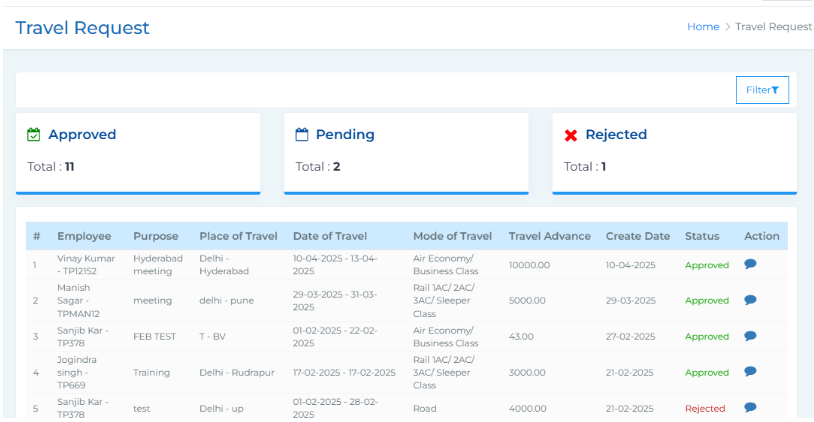 This section displays all the travel requests raised by employees. At the top, you’ll see a summary of the number of approved, pending, and rejected travel requests. A filter icon lets you narrow down requests by from and to date, status (Pending, Approved, Rejected), organisation unit, department, and designation. The main table lists each travel request with key details such as the employee’s name, purpose of travel, destination, travel date, mode of travel, travel advance amount (if any), creation date, and status of the request. In the Action column, you’ll find a comments icon to view remarks related to the request and a three-dot options icon where you can choose to approve or reject the request. Once you take an action, a notification is automatically sent to the employee via the TankhaPay mobile app.