
Attendance
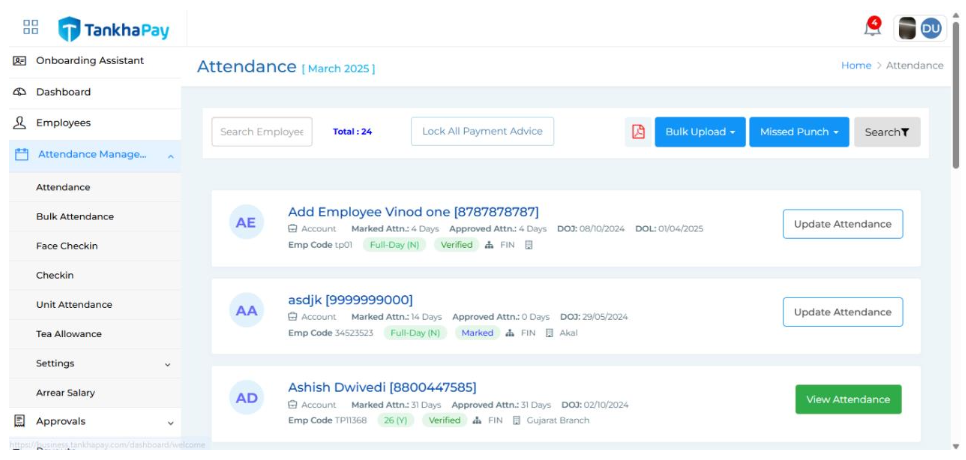 In the Attendance section, you have access to several useful tools:
Search Bar - Quickly search for employees by name.
Lock All Payment Advice - This feature allows you to lock the attendance-based payout calculations for the selected period.
View Report - Clicking this option displays a comprehensive attendance summary for all employees, including details like date of joining, date of leaving, department, designation, job type, and organizational unit. It also shows the daily attendance status (approved, marked, or pending) for the selected month, along with leave types such as work from home, paid leave and more. This section also has two icons which are:
Search Filter - Located at the top, this filter allows you to refine the data by month, year, status, organizational unit, designation, and department, making it easier to manage and review attendance records.
Export to Excel - An Excel icon lets you download the entire attendance report as a
spreadsheet.