
Compliance Details
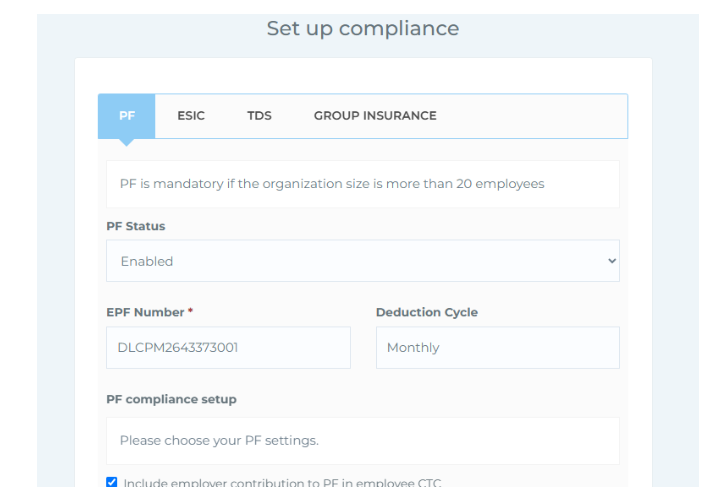 This section helps you configure statutory settings related to PF, ESIC, TDS, and Group Insurance as per your organization's policies. Please note, filling out this section is optional and not mandatory for using the platform. It includes the following four menus:
● PF (Provident Fund) - You can enable or disable PF, enter the EPF number, and view the monthly deduction cycle. You’ll also find checkbox options to set up your PF compliance as per your policies, such as including employer contribution in CTC, using only basic salary for PF calculation, or applying the PF limit of ₹15,000. Standard employee and employer contribution .
● ESIC (Employee State Insurance) - Here, you can enable or disable ESIC, enter the ESI number, and view the deduction cycle (monthly). Standard contribution rates for employees and employers are shown. Click Save to apply changes.
● TDS (Tax Deducted at Source) - You can activate or deactivate TDS payment settings. After configuring, click Save to confirm.
● Group Insurance - This section allows you to enable or disable group insurance based on your organization’s policy. Click Save once the settings are finalised. These settings are available for organizations that wish to manage their compliance requirements directly within the system.