
Leave Type
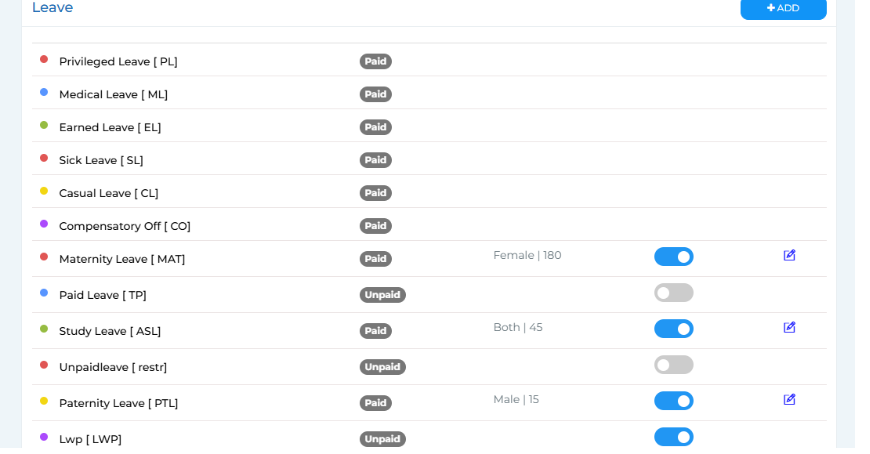
This section allows you to view and manage the different types of leaves available in your organisation.
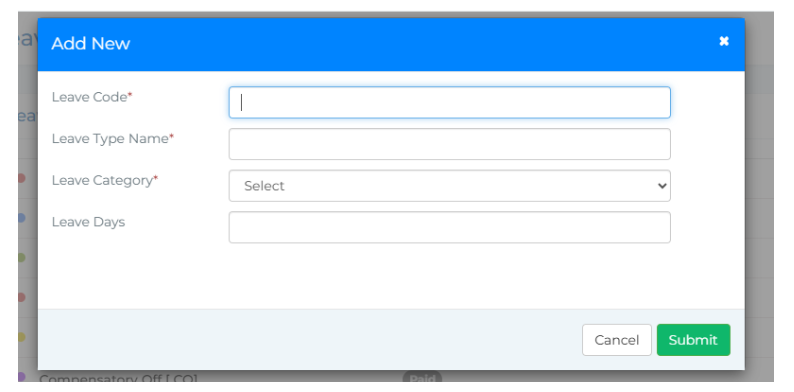
To add a new leave type, click on the Add button. A pop-up window will appear where you need to enter the following details:
● Leave Code
● Leave Type Name
● Leave Category (Paid or Unpaid)
● Number of Leave Days
Once the information is filled, click Submit to save the new leave type. You can also specify and edit the number of leaves for special types such as Maternity Leave, Paternity Leave, and Study Leave. Additionally, there is an option to enable or disable these leave types as per your organisation’s policy.