
Advances & Loans
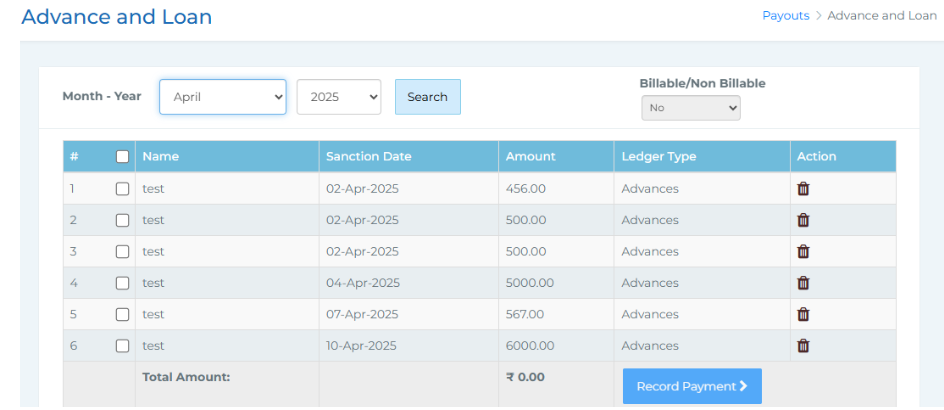 In this section, you can view all advance and loan requests raised through the Approvals > Vouchers section. You have filters to select the month and year, and you can choose individual or multiple employees at once. You’ll also have the option to mark whether the payment is billable or not.
After making your selection, click on Record Payment. A confirmation pop-up titled Approve Payroll will appear. Once you click Submit and Approve, you'll be directed to specify the payment date and payment mode. After submitting these details, the transaction will be reflected under your Payroll Liabilities.