
Proof of Investment
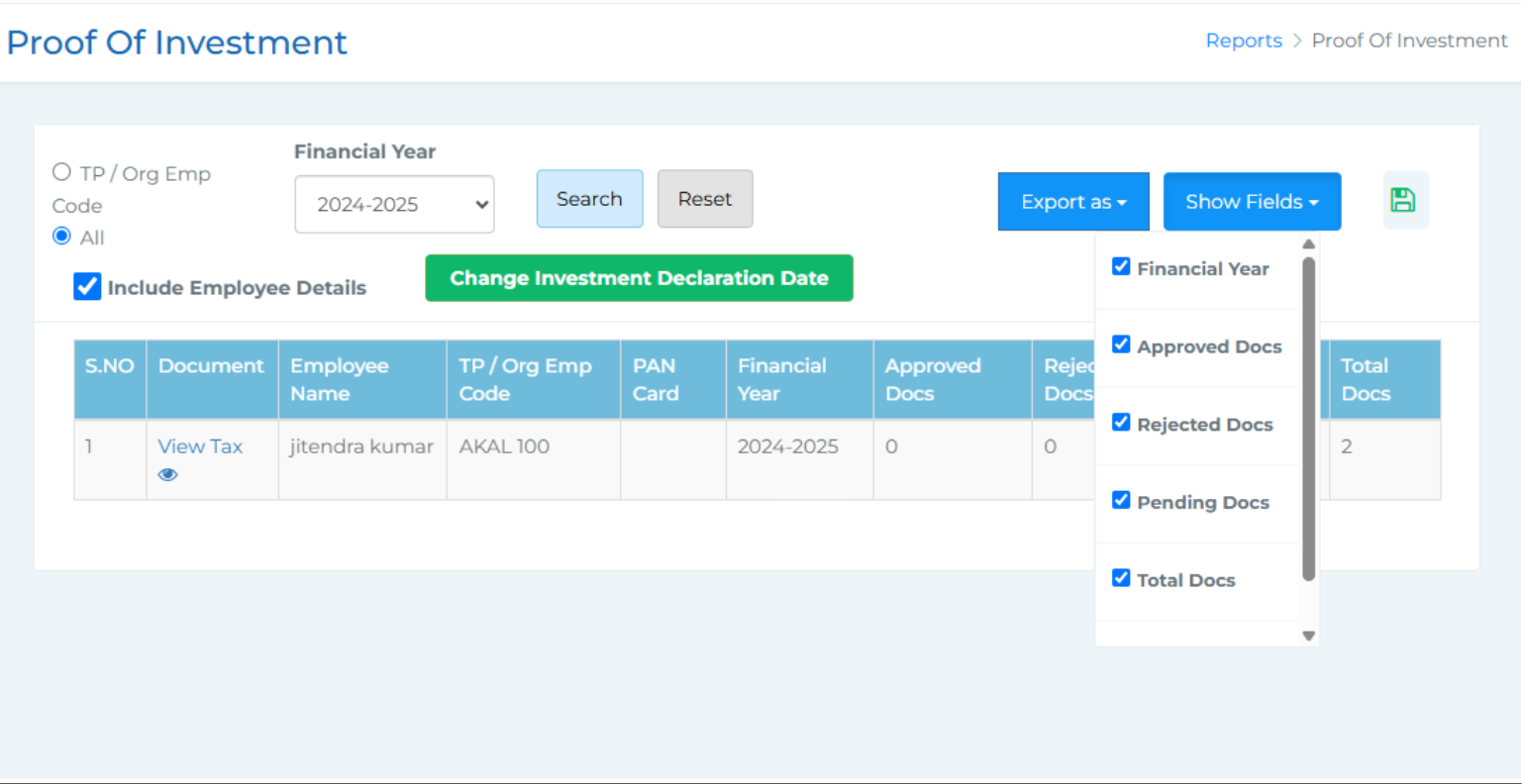 This section allows you to manage and verify investment documents submitted by employees. You can search for employees using their TP/Org Employee Code or choose to view all employees at once. Filters are available to search by financial year and to export the data in Excel format for your records.
There’s also a Show Fields filter that lets you choose which data to display—such as financial year, number of approved, rejected, pending, and total documents. You can check or uncheck a box to show or hide employee details, and there's an option to modify the investment declaration date if needed.
The employee list shows important details including:
● A View Document option where you can check the uploaded proofs and take actions like approve, reject, or add remarks.
● Employee name
● TP/Org Emp Code
● PAN Card
● Financial Year
● Count of documents: approved, rejected, pending, and total